

















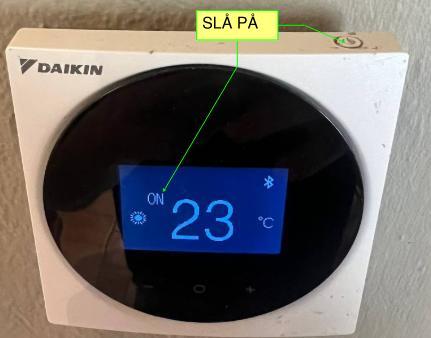
Button on top of the panel
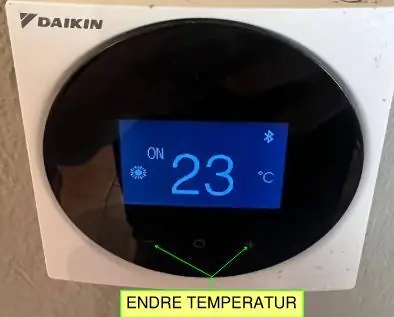
can be changed by pressing the +/- symbol below the display.
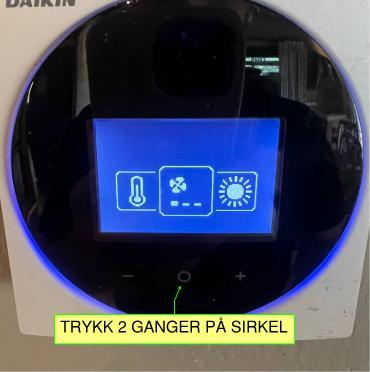
From the main menu, press the circular button below the display. The first menu will show several options. To access fan speed, press the circular button once more.
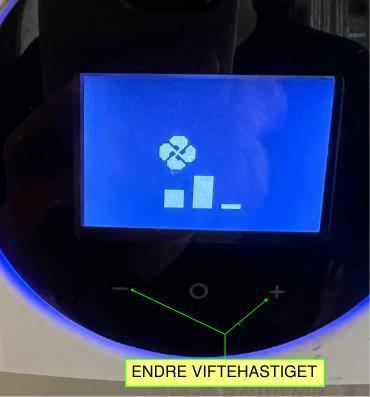
Here you can use +/- to change the speed.
Wait 10 seconds and it will automatically return to the main menu.